Rules change February 1, 2027
YouTube monetization is changing in 2027. What does it mean for your channel?
If you’re working toward earning from ads, open YouTube Studio → Earn and check your progress. On February 1, the target goes up for new applicants. If ads are already on, check whether YouTube has asked you to accept new terms by January 31. If you earn from Shorts, there’s a new rule for those payouts, too.
What’s changing on February 1?
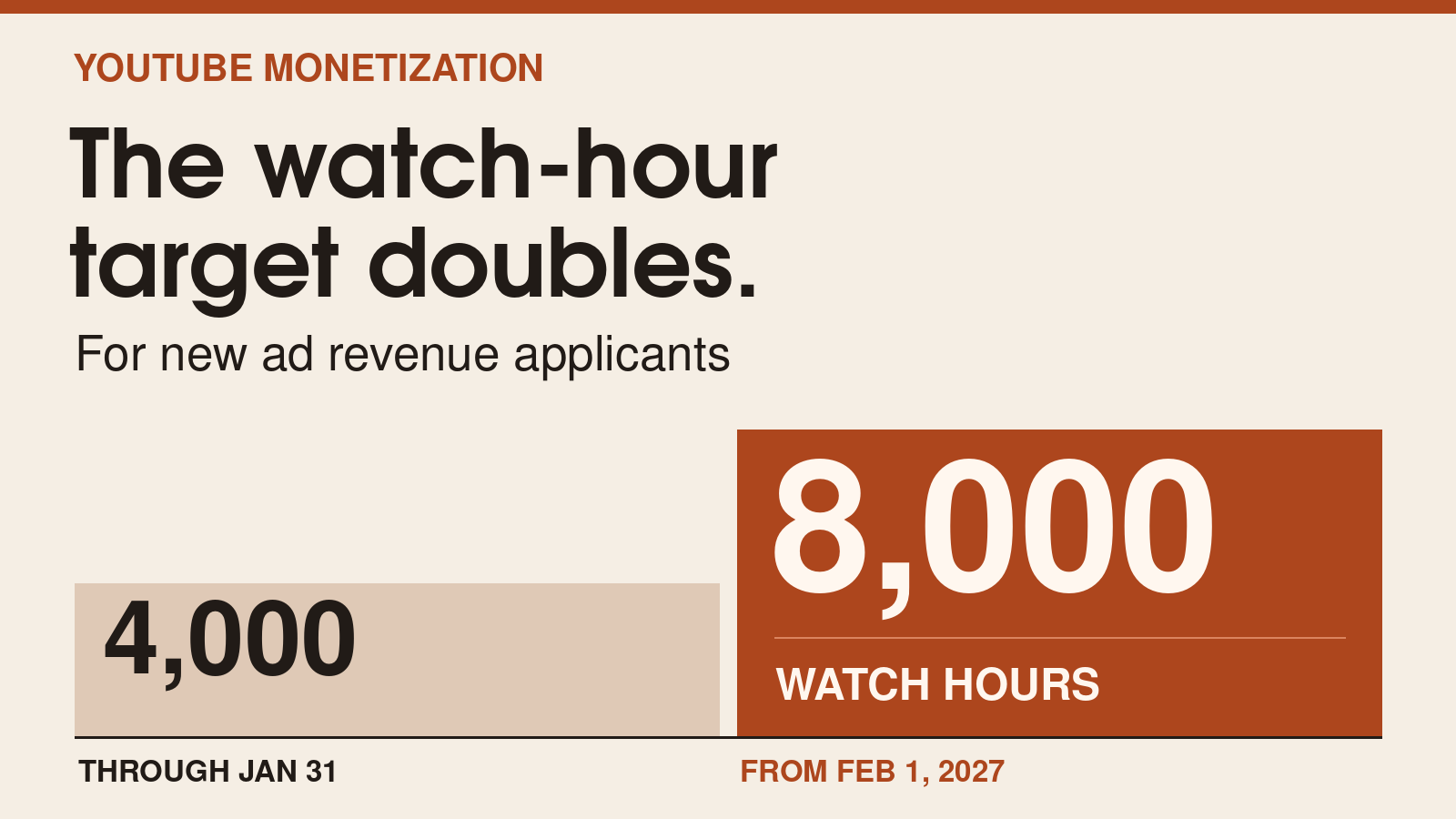
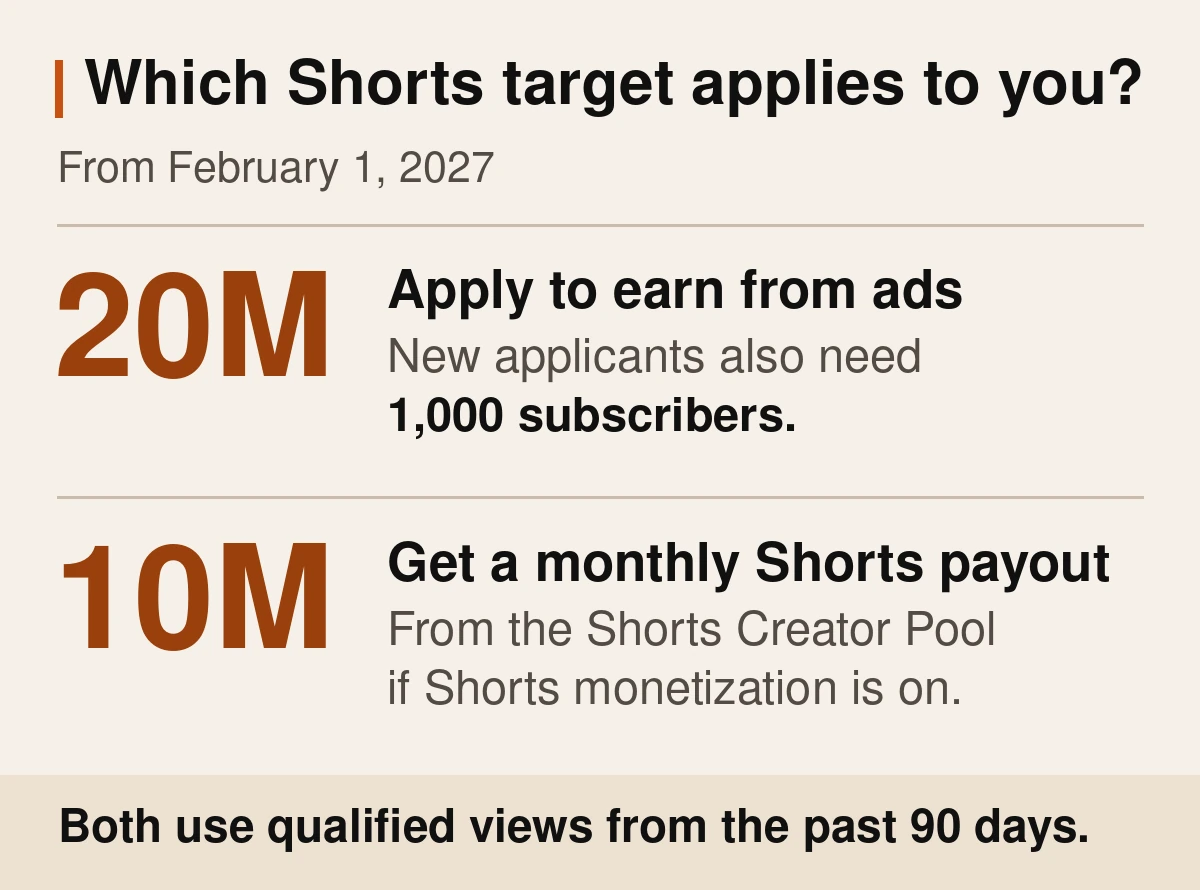
To apply to earn from ads and YouTube Premium, you still need 1,000 subscribers. You also need to hit one of the two targets below. Qualified means the hours or views YouTube counts toward that target. You’ll see those numbers in Earn.
| Your route | Through Jan. 31 | From Feb. 1 |
|---|---|---|
| Qualified watch hours Past 365 days | 4,000 | 8,000 |
| Qualified Shorts views Past 90 days | 10M | 20M |
If your public numbers look higher than the figures in Earn, check which views and hours count.
Will the new rules affect your channel?
I have 1,000 subscribers and 4,500 watch hours. Can I apply?
You’ve got enough subscribers. Now open YouTube Studio → Earn and check your watch hours. That’s where YouTube shows how many count toward the 4,000-hour requirement over the past 12 months.
If you see Apply now, you can start your application right there. From February 1, new applicants using watch hours need 8,000.
I already earn from regular videos. Do I need 8,000 hours?
No. If you’re already earning from ads on regular videos, being under 8,000 hours won’t switch those ads off. Open Studio → Earn and accept the updated terms by January 31 to keep earning from the features they cover.
Will I still get paid for Shorts if I’m at 7 million views?
From February 1, you need 10 million qualified Shorts views in the previous 90 days to get paid from the Shorts Creator Pool, which is the shared pot YouTube uses to pay Shorts creators. If you’re at 7 million, that payout pauses. It can start again once you reach 10 million within the 90-day window.
You can stay in the Partner Program and keep earning from ads on regular videos if you already qualify for them. YouTube also says it’ll contact eligible creators as separate Shorts incentives launch.
How do I accept the new terms?
Open YouTube Studio → Earn on your phone or computer. If YouTube has new terms for your channel, you may also see a notice on your Studio dashboard.
- Find the noticeLook for the updated terms in Earn or on your dashboard.
- Choose ReviewRead each update, check the box to accept it, and choose Next.
- Select SubmitDo this once you’ve reviewed the updates for your channel.
Missed January 31? Earnings from the features covered by the terms pause on February 1. You can accept the terms later in Studio and start earning from those features again.
FAQs
Why are the numbers in Earn lower than my public views?
For watch hours, YouTube counts time spent watching public regular videos, including video podcasts and saved public livestreams. For Shorts, viewers have to watch a public Short past the first few seconds. Replays from the video looping don’t add to that number.
What if I only have memberships or Super Chat?
You can still qualify for memberships and Super Chat under the same rules. If you turned either on before 2023, check Studio for updated terms. If you’re working toward earning from ads, check the target YouTube shows for your channel in Earn.
Where will Premium Lite earnings show up?
Look under YouTube Premium in YouTube Studio. YouTube is bringing Premium Lite to every country where it offers Premium and reports those earnings together.