Creator workflow guide
How to Optimize Existing YouTube Videos with Tracked Keywords
Your existing videos can give you more to work with than their original titles and descriptions. In TrendyTube's Video Keywords workspace, review tracked phrases, choose the ones that fit your video and create new title or description suggestions—or find moments to turn into Shorts.
Before you begin
Import a video into Video Keywords first.
The video's initial keyword analysis must finish before you use tracked phrases. Tracking refreshes keyword demand; generating titles, descriptions or Shorts is a separate request.
Part 02 · Put it to work
For title suggestions
In the video's Titles tab, select Generate Optimized Title. Review the preselected tracked keywords and choose the writing approach below.
Under Advanced Settings → See More, you can adjust Title Type, Title Structure, Title Length and Formality for this request. These settings can override the channel's default Advanced Title Settings. When the settings are ready, follow the generation and review steps below.
Choose the title writing style
Fresh Ideas
Generate a new title direction without matching the channel's previous wording.
Match Style
Select recent channel titles or choose Add Example Title, enter your own, Confirm it and check it. At least one confirmed example is required.
Part 03 · Put it to work
For description suggestions
In the video's Descriptions tab, select Generate Optimized Description. Review the checked tracked keywords and choose how the writing should be guided.
Under Advanced Settings → See More, adjust Content Type, Initial Paragraph Structure, Tone, Summary Structure or Summary Length. These choices can override the channel's Advanced Description Settings for this request. When the settings are ready, follow the generation and review steps below.
Choose the description writing style
Fresh Ideas
Write a new description without matching a previous channel description.
Match Style
Select recent channel descriptions or choose Add Example Description, enter the example, Confirm it and check it for inclusion.
Part 04 · Put it to work
For candidate Shorts
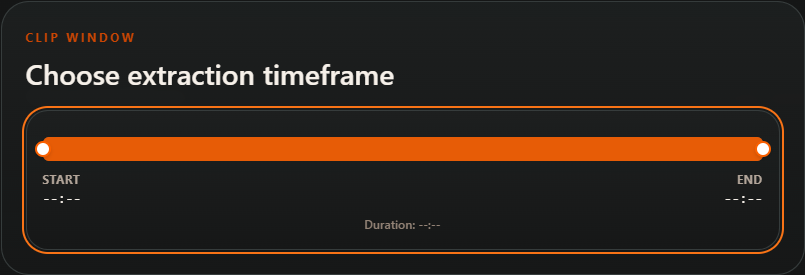
In the video's Shorts tab, choose Generate Optimized Short. Select tracked phrases relevant to moments in the source footage. Under Clip Window, select Choose extraction timeframe and adjust the start and end of the section to explore.
Maximum Shorts is fixed at 10 candidates in this tracked-keyword workflow; fewer may be returned. Choose the available model and resolution below, then follow the generation and review steps.
Model Quality
Standard
Use the standard extraction model.
Premium
Use the premium model when available on your plan. Check the displayed credit estimate for this option.
Video Resolution
720p HD
Choose HD resolution for the output clips.
1080p Full HD
Choose Full HD when supported by your plan.
Part 05 · Follow the steps
Review the output before using it
Check the request and generate
Before submitting, confirm your selected keywords, writing or clip settings, estimated credits and plan limits. Start the request, then return to the same tab to open the completed result. Each output requires its own request.
Review the result before using it
For a title, compare the alternatives, character count, readability and explanations. For a description, review the full text, keyword indicators, links and hashtag counts. Select Copy to take the chosen text into your publishing workflow. For Shorts, watch the candidates and open promising clips for editing and export. These tools create content for review; they do not automatically replace YouTube metadata or publish clips.
Choose the result that fits your video, then review it before publishing.
Help · Common questions
When a request is blocked
Why can't I start a request?
Check that you selected at least one tracked keyword and any required Match Style example. Read the credit and duration notices; for Shorts, check the source window, model and resolution choices.
Does tracking publish updates automatically?
Tracking refreshes keyword information. You separately request new titles, descriptions or Shorts, review the output and decide what to publish.
Create a TrendyTube account
Create an account to work with video projects and keyword-informed suggestions.
Create a TrendyTube account